
Recover a lost licence key
Historical reference: the original Recover Lost License workflow.
A reference from an earlier chapter
This material preserves the original Textual documentation and may describe older versions, former services, or superseded policies. It is not a statement of current availability or new Blendbyte commitments.
For current guidance: Licences and the App Store transition.
On this page
Current guidance: This archived guide describes the former Codeux recovery service. Recover Lost License now finds licences bought through our checkout; it cannot look up purchases made from Codeux, because no historical customer database was transferred. If recovery does not find your licence, contact us with any purchase evidence you have. See recovering a licence.
This guide will instruct you how to recover a license key for Textual.
Prerequisite
Before we begin, make sure you have the following:
- A copy of Textual downloaded from the Textual website (the “standalone version”)
Download the Standalone Version
Recover Lost License Key
To recover your license key, following these steps:
-
Open the standalone version of Textual.
-
In the main menu, in the top left corner of the screen, open the bold Textual menu. Within this menu, click the menu item labeled Manage license…
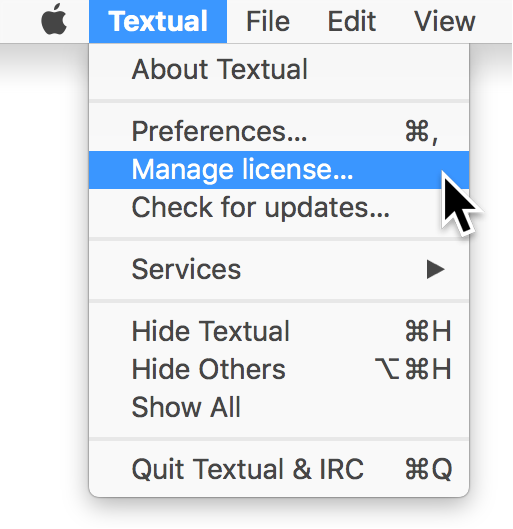
Once clicked, the following window will appear:
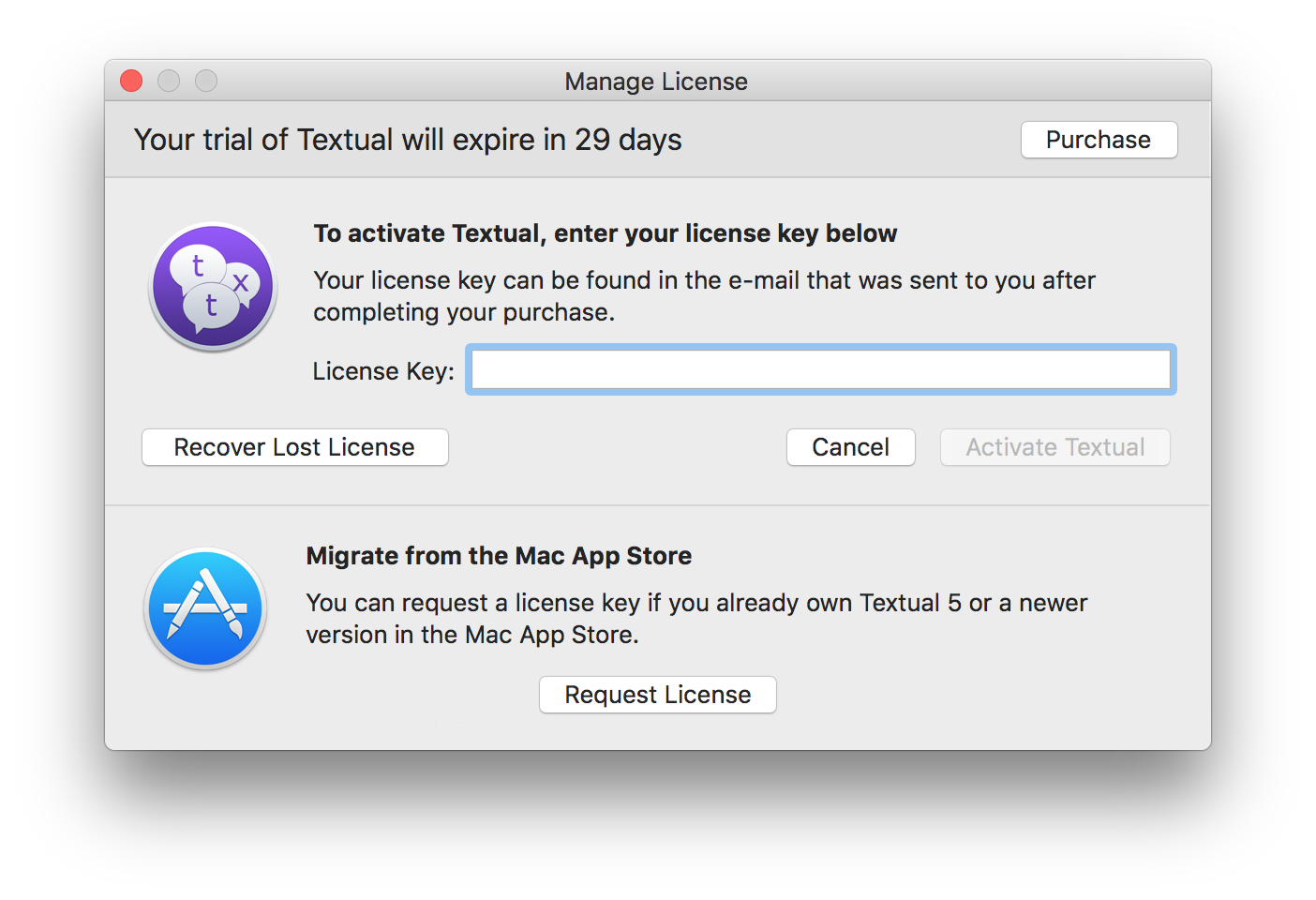
- Inside this window, click the Recover Lost License button.
In the window that appears, enter the e-mail address associated with your license key.
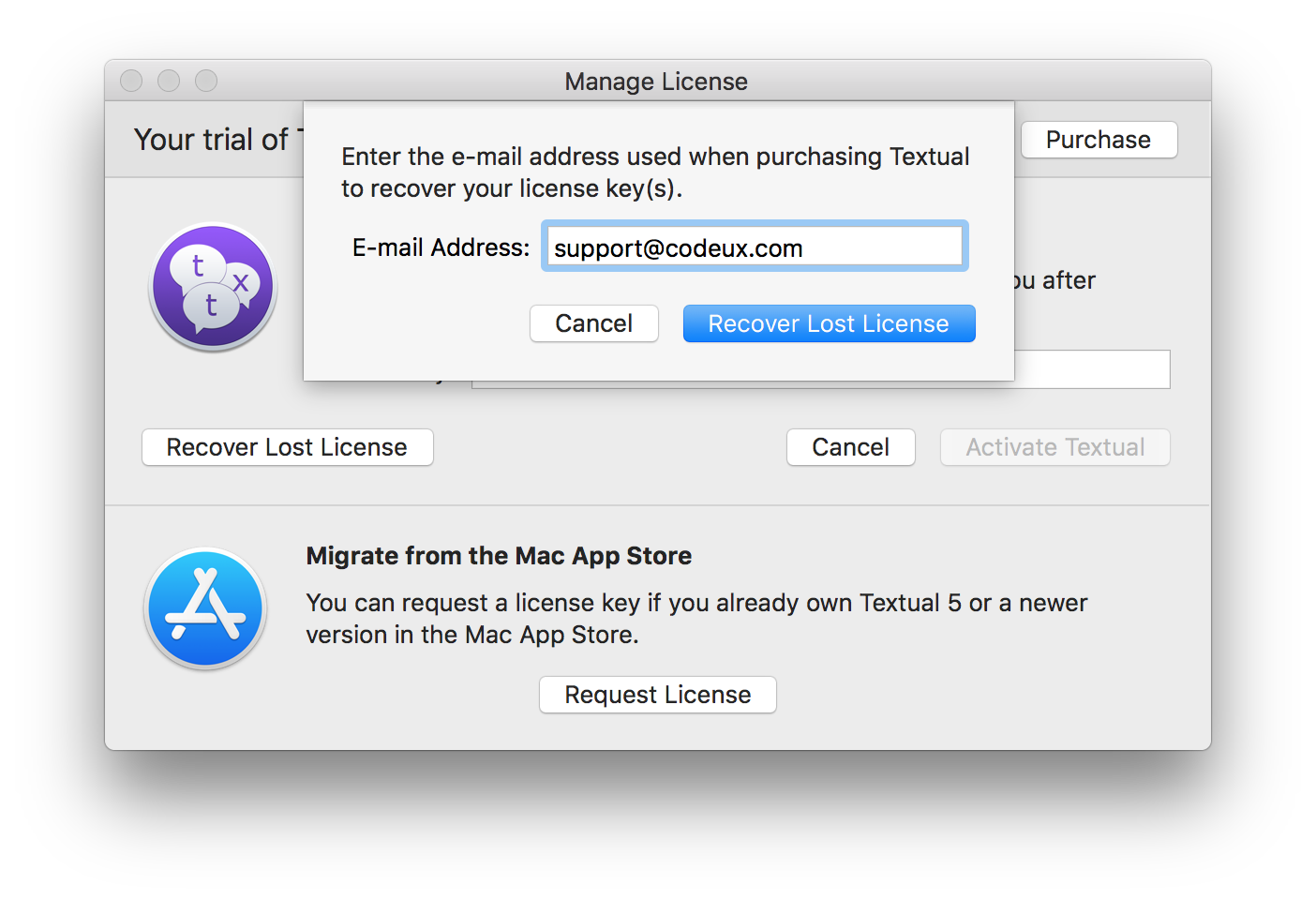
- Click the Recover Lost License button to continue.
If the request was successful, then you will be informed of that fact. Otherwise, an error will appear.
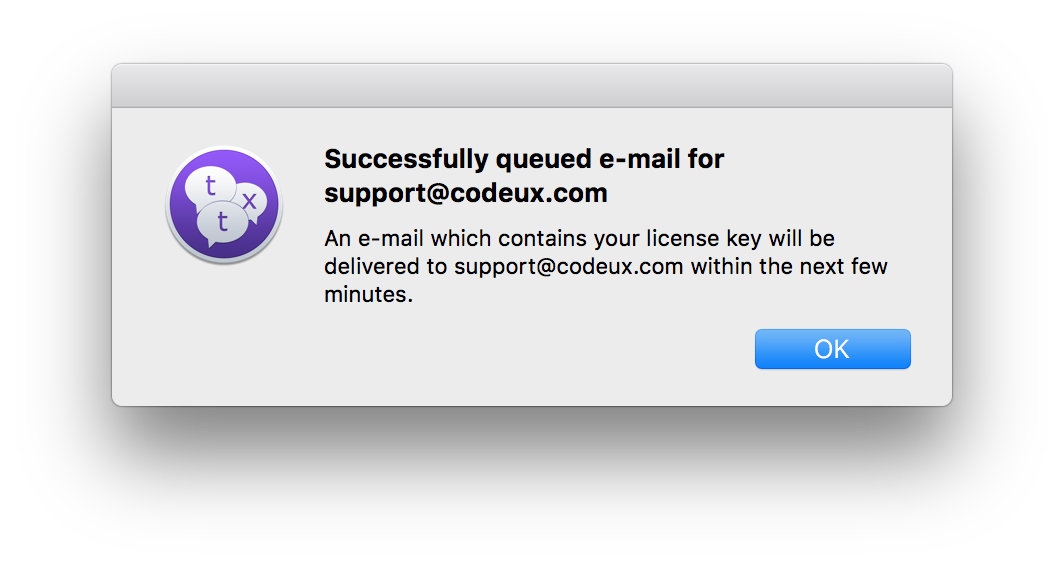
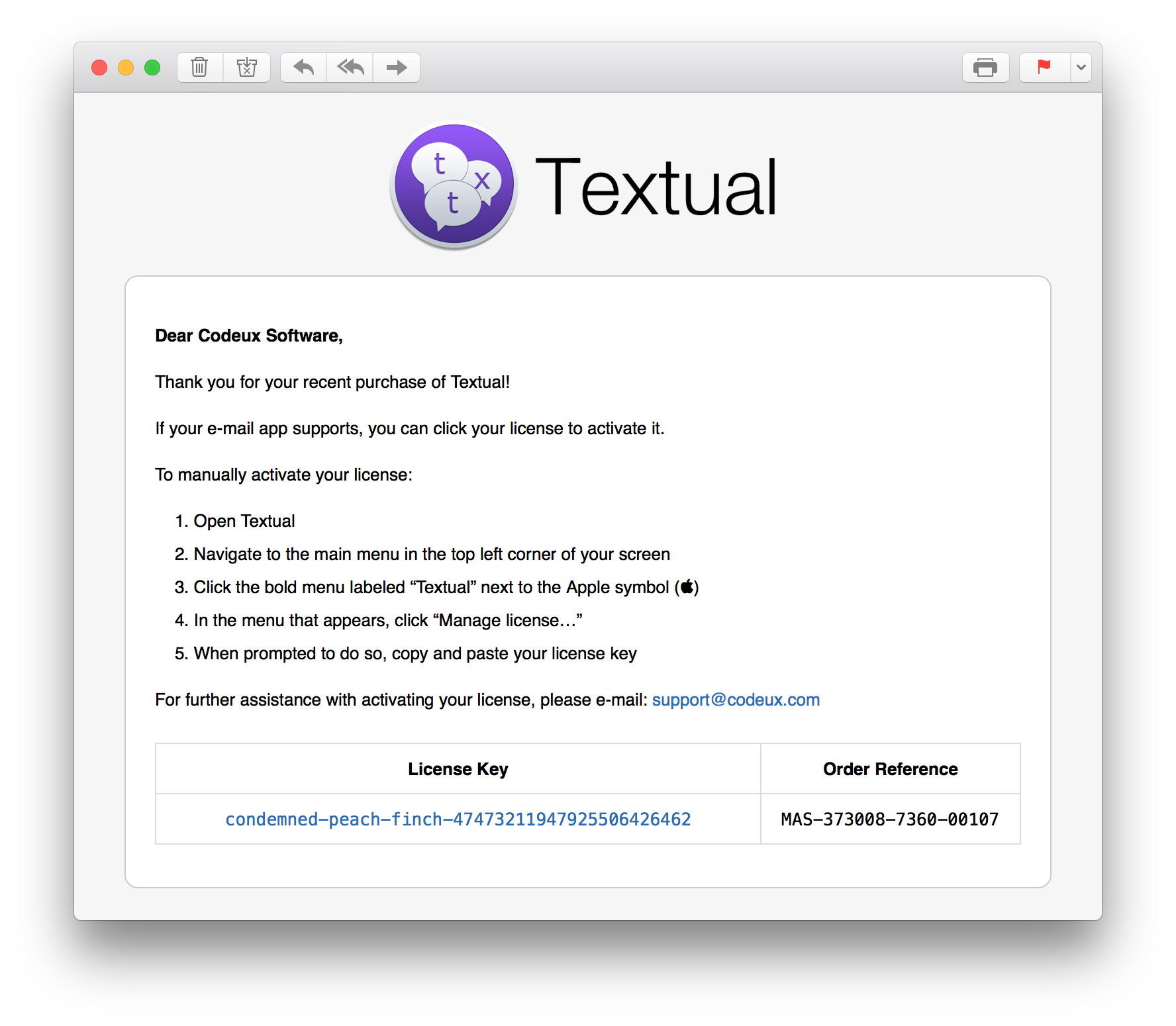
Your license key will arrive by e-mail within a few minutes:
Keep reading
Source material
Original Codeux material preserved from the knowledgebase snapshot of 9 September 2026. Formatting and internal links have been adapted for this site.
Need a hand? Contact us about this guide.